
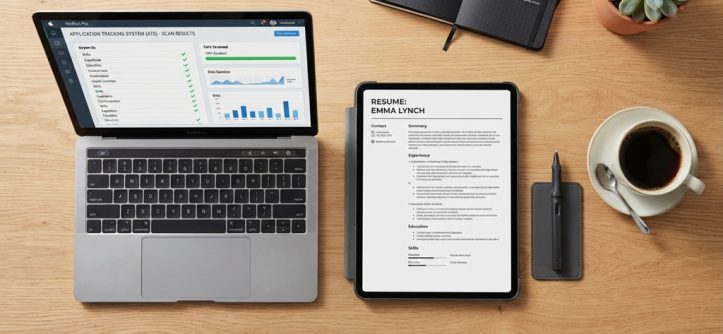
The resume writing hacks that beat applicant tracking systems are simple. Use a clean layout, standard headings, and keywords copied from the job post. Save the file in the right format, and the software can read your resume.
Many students think the system rejects them. In most cases, the software just can’t read a fancy layout. A few easy fixes solve that problem.
This guide shows you how to build a resume that both software and people enjoy. You will also see examples for students and recent graduates.
What Is an Applicant Tracking System?
An applicant tracking system, or ATS, is software that stores and sorts job applications. It reads your resume and turns it into plain text. Then recruiters search that text for skills and job titles.
Most mid-size and large employers use this kind of tool. Many career centers at universities also explain how it works. So it helps to know the basics before you apply.
How the Software Reads Your Resume
The software scans your file and splits it into sections. It looks for headings such as “Education” and “Work Experience.” Then it pulls out names, dates, and skills.
If the layout is too complex, the software may mix up the order. Your degree could end up under your job history. As a result, a recruiter may see a messy profile.
Does the Software Really Reject Resumes?
Often, the software does not reject anyone on its own. Instead, it ranks and filters candidates based on the recruiter’s settings. A recruiter may search for a skill and see only the matching resumes.
Therefore, your goal is to be easy to find. Clear keywords and clean formatting help you show up in those searches.
Choose a Simple, Readable Format
A simple one-column layout is the safest format for any ATS. It lets the software read your resume from top to bottom. In addition, it looks neat to a human reader.
Avoid design tricks that look nice but confuse software. Here are the main things to skip:
- Tables and text boxes
- Multiple columns
- Charts, icons, and skill bars
- Photos and logos
- Text placed inside headers or footers
Stick to plain fonts such as Arial, Calibri, or Times New Roman. Use a font size between 10 and 12 points. Also keep your margins at a normal width.
Which File Type Should You Use?
Use the file type the employer asks for. If the job post gives no instructions, a .docx file is usually a safe choice. Many modern systems also read PDFs well, but older ones may not.
Always read the application instructions first. If they say “upload a PDF,” do that. Otherwise, a Word file is the lower-risk option.
Use Standard Section Headings
Standard headings help the software sort your information correctly. Use names such as “Education,” “Experience,” “Skills,” and “Projects.” Creative titles like “My Journey” or “Where I’ve Been” can confuse the system.
Put your contact details at the top of the page, in the main body. Do not hide them in the header. Some systems skip header text, so a recruiter might see no phone number at all.
List your jobs in reverse order, with the newest first. Include the job title, the company name, and the dates. Write dates in a clear style, such as “June 2025 – August 2025.”
Match Keywords to the Job Post
Matching keywords is the most powerful ATS hack. Recruiters search for specific words, so your resume needs to include them. The best source for those words is the job description itself.
Here is a simple way to do this:
- Read the job post twice.
- Highlight the skills, tools, and duties that appear often.
- Add those exact words to your resume, where they are true.
- Repeat this process for every new application.
Never add skills you do not have. That approach backfires in interviews. Instead, reword what you already do to match the job’s language.
Use Both Spelled-Out Terms and Acronyms
Some systems search for the full term, while others search for the short form. So include both when it makes sense. For example, write “Search Engine Optimization (SEO)” once.
The same trick works for degrees and tools. You might write “Bachelor of Science (BS)” or “Microsoft Excel.” That small step covers more search styles.
Example for a Student Resume
Suppose a job post for a marketing intern asks for “social media scheduling” and “content calendars.” Your class project might say, “Posted updates for a club page.” That wording misses both phrases.
A better line reads, “Managed social media scheduling and built a content calendar for a 300-member student club.” It is honest, specific, and keyword-friendly.
Leveraging Early Experience for Maximum Resume Impact
Even without traditional full-time work history, students can construct a compelling, ATS-friendly resume by strategically reframing academic projects, volunteer efforts, campus leadership, and part-time roles into high-value professional assets. Rather than hiding a lack of paid experience, establish dedicated “Projects” or “Leadership & Community” sections that highlight core transferable competencies through action-oriented bullet points starting with strong verbs like spearheaded, designed, coordinated, or analyzed. To ensure maximum impact, couple each action with a verifiable metric such as directing weekly study groups for 12 peers that boosted overall assessment scores and seamless career acceleration strategies like smart mentor matching accelerates student success to validate your capabilities and stand out to hiring managers.
Where to Put Your Education
If you are still a student, place “Education” near the top. Include your school, degree, and expected graduation date. You can also add relevant courses, honors, and your GPA if it is strong.
Once you have more work experience, move “Education” below it. That shift keeps your best content first.
Use Keywords Naturally, Not Excessively

Keyword stuffing does not beat the system. It also annoys the human who reads your resume later. Many people think hidden white text is a clever hack, but it is risky and can get you removed from consideration.
Instead, weave keywords into real sentences. Add them to your summary, your skills list, and your bullet points. Each keyword should have context, such as how you used it.
Because a person will read your resume after the software does, aim to please both. Think of the ATS as a doorway, not the final judge.
Test and Tailor Your Resume Before Applying
Testing helps you catch problems before a recruiter does. A quick check can reveal formatting errors and missing keywords.
Try these simple tests:
- Copy your resume text into a plain text editor. If the order looks wrong, the layout needs work.
- Check that your name, email, and phone number appear clearly.
- Compare your resume to the job post, and see if key terms appear.
- Ask a friend or career advisor to review it.
Some websites offer free resume scanners. These can help, but treat their scores with caution. Each employer’s system works differently, so no scanner is perfect.
Finally, tailor your resume for each job. Small edits take only ten minutes and can improve your results a lot.
Frequently Asked Questions
Do all companies use applicant tracking systems?
No, not every company uses one. Larger employers rely on them most, while very small businesses may read resumes by hand. Because you rarely know which, it is smart to format every resume so both can read it.
Is a PDF or Word file better for ATS?
It depends on the employer’s instructions. Follow the job post first. If it gives no guidance, a .docx file is usually the safer choice, since older systems read it more reliably.
Can I use a creative resume template?
You can, but be careful. Creative templates often use columns, graphics, and text boxes that confuse software. A good plan is to submit a plain version online and bring a designed version to interviews.
How many keywords should I include?
There is no magic number. Focus on the skills and tools listed in the job post, and use them where they honestly apply. Natural use matters more than repeated use.
Should a student resume be one page?
For most students and new graduates, yes. One page forces you to include only your strongest points. That keeps your resume focused and easy to scan.
Conclusion
Beating an applicant tracking system is about clarity, not tricks. Use a simple layout, standard headings, and honest keywords from the job post. Then test your file and tailor it for each role.
Your next step is easy. Open your resume, and check it against one job description today. Fix the layout, add the matching skills you truly have, and apply with confidence.




Leave a Reply